Reports
When to use
Use Reports to consult, generate, or track consolidated information about the operation.
Pre-conditions
- Logged in.
- Organization selected.
- Operational data registered to feed the reports.
Sample data used
- Fictitious plans, resources, and tasks from the sandbox organization.
Step by step
Library
- Go to
/:organizationId/reports. - Check the Library of available reports, organized by category.
- Open the desired report when permitted.
- Choose the format (
PDF,Excel, orCSV) and, if applicable, a date range. - Generate and download the file.
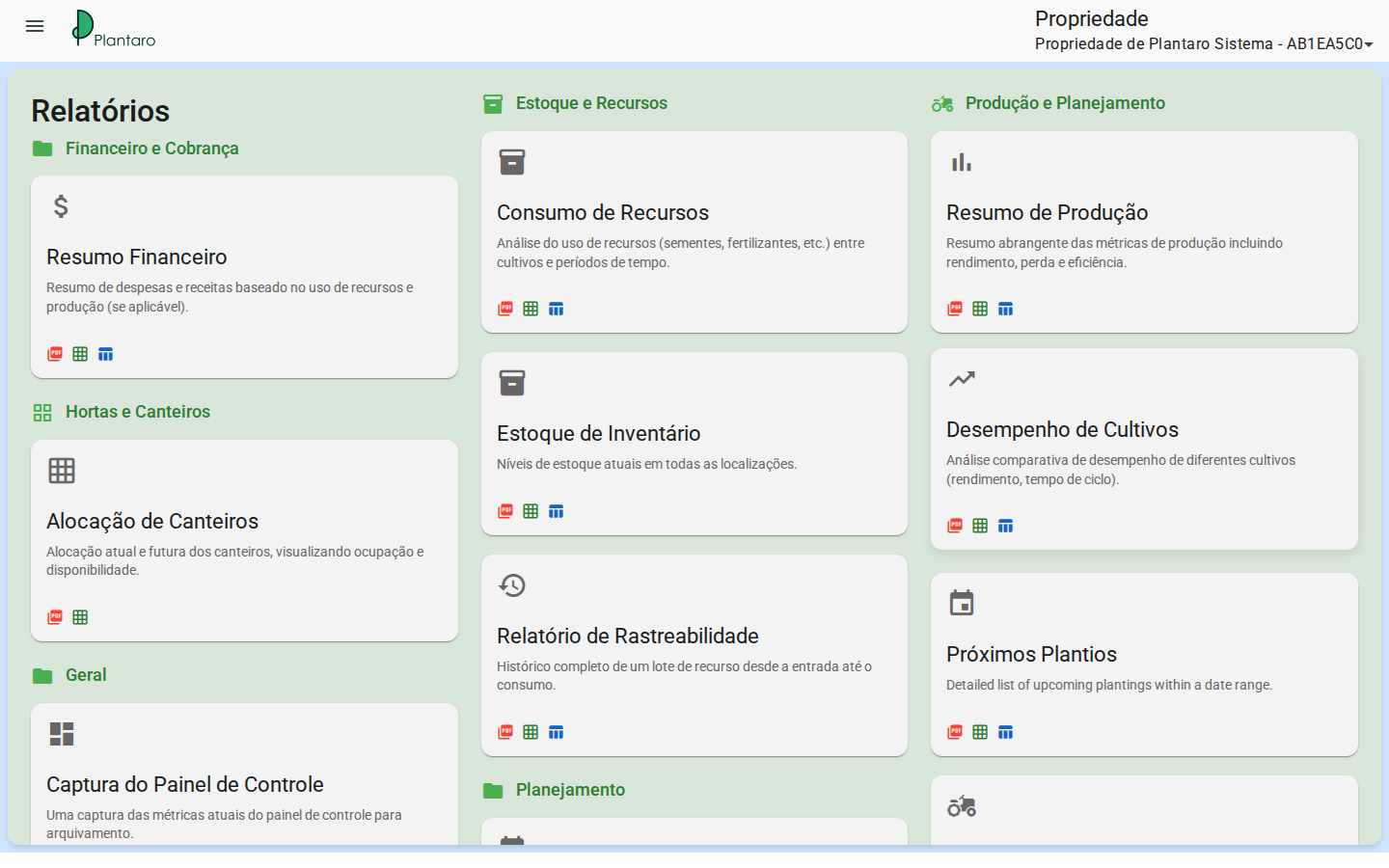
Expected result: the Library lists the reports the user can access.
History
- Go to
/:organizationId/reports/history. - Check previously generated reports, with request date, name, format, execution status, and requesting user.
- Use filters when available.
Expected result: the History shows previous executions and their states.
Schedules
- Go to
/:organizationId/reports/schedules. - Check existing Schedules.
- Create or edit a schedule only when the sandbox account has permission.
Expected result: the user can track report-generation routines.
Errors and empty states
- Report with no data: create operational data first.
- No permission: confirm the user's profile.